Flexible pricing and plans for every team

Insights into your code health that help you manage technical debt, ship faster, and keep your codebase AI-ready. Pick the plan that fits your team and start free.

Leader on G2
Patented solution
AWS partner
ISO 27001 certified

Standard Save 10%

Keep AI-assisted or human-written code healthy. Safeguard new code, uplift unhealthy code, and cut token spend, without slowing delivery.
€18
Billed yearly i
On-prem (self managed) Cloud-based
Standard plan includes:
CodeHealth™ deterministic code quality score Newi A peer-reviewed quality target, not an LLM guess.
CodeHealth MCP Server Newi Prevent AI slop as it's written, uplift legacy code for AI.
PR Refactoring Agent Newi Deterministic refactoring with one click.
Unlimited private repositories
Technical debt management
CodeHealth analysis
Knowledge distribution insights
Fully automated code review
30+ programming languages
CodeHealth Monitor in the IDE
Compare plans

Enterprise

Scale and govern across millions of lines of code and global teams. Dedicated support and onboarding, tailored to your org.
Talk to sales
On-prem (self managed) Cloud-based
Everything in Pro, plus:
Single sign-on and role-based access control i
Dedicated Customer Success Manager
Tailored onboarding and workshops
CodeHealth KPIs across teams
Scalable pricing for large teams
Compare plans
CodeScene identifies and prioritizes the biggest bottlenecks in our projects, highlighting code improvements that have the greatest impact on development and maintenance.
Maarten Metz Principal Software Engineer, Philips
We improved developer productivity by 45% in just 3 months across large codebases, leading to fewer defects and faster delivery.
Vishal Goyal Chief Architect, Persistent
CodeScene has helped us find ways to improve the productivity of our development teams and measure our success. Ultimately improving how quickly we can deliver value to the business.
Patrick B Previously Principal Engineer at Sky
We reduced our unplanned work by 82% over a twelve‑month period.
Lauren Swanson Lead Software Engineer, Carterra
No tools on the market could help us tackle technical debt in a data driven way, until we came across CodeScene.
Christian Saleki CTO, SmartCraft
Traditional tools like SonarQube flagged issues but failed to prioritize improvements by business impact.
Johannes Buvnas CTO, StickerApp
Accelerating knowledge transition by 30‑40% through rich developer insights produced by CodeScene on multiple engagements.
Vishal Goyal Chief Architect, Persistent
We are prioritizing technical debt as part of our Techxellence initiative, recognizing its impact across the entire organization. As part of our OKRs, we use CodeScene's Code Health metric to measure and manage technical debt.
Johannes Buvnas CTO, StickerApp
CodeScene visualizes and captures the core problems, in a perfectly elegant and simple way. It removes all the fuss that you don't really need. It explains and educates at the same time.
It is very hard to change code already running in production compared to changing it before it is merged into master. CodeScene informs our developers about undesired parts of the new code and the recommendations are mostly met.
Martin Bungaard Chapter Leader, DFDS
For me, the most impressive and most helpful thing with CodeScene is that we were able to get to high code quality without having to do any major rewrites or replace team members. We achieved this just by adapting to CodeScene's rules. So over time, using CodeScene resulted in very big and positive outcomes for our organization, which is a huge win for our team and makes me as CTO, very happy.
Having the ability for developers to check the code health score right at the time of writing the code within the IDE is extremely helpful. This shift left approach helps avoid file level issues from getting committed in the first place and drastically reduces the time it takes to review the pull requests. This is an absolute must for all teams.
As a non‑developer working in a software development company, one of my jobs is to protect developers' time when possible. CodeScene lets me interrogate code and discover entry points for the developers to perform more in‑depth code reviews. I also like that I can show progress even our least technical stakeholders can understand with the streamlined visuals CodeScene creates.
Shane C. CTO, Hangar A
We're working with a project that's been around for a solid 15 years. Back in its early days, tight deadlines led to a few shortcuts in the code. Thanks to CodeScene, we can now sift through that technical debt, pinpointing exactly where to channel our efforts for the most impactful improvements.
Adam Chapman Developer, Apex Networks
With CodeScene we'll be able to see where we benefit the most from reducing technical debt. It helps us find code health issues early and fast during development.
Stefanie Hill Tech Lead, Dental Wings
From an engineering perspective, we can help identify team productivity bottlenecks and areas most expensive to maintain, support onboarding with knowledge maps of a system or domain, and assist with off boarding by identifying the areas in need of knowledge transfer.
Ryan Bulloch Engineering Manager, Utility Warehouse
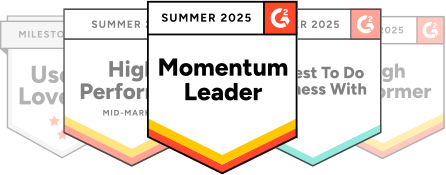
G2 awards: Momentum Leader, High Performer and more
Empowering the world's top engineering teams

Compare plans

Compare every plan in full. Each tier builds on the one before it, from core CodeHealth™ analysis up to enterprise-wide governance, so you can see exactly what unlocks as your teams scale.

Standard
€18 active author/month An active author is anyone who has committed code over the past three months to the codebases you want to analyse. Each author is counted only once.
Start free trial
Enterprise
Custom
Talk to sales
AI-Acceleration Framework
Assess AI risk Identify which parts of the system are healthy enough for AI acceleration and which need improvements first. When agents operate on unhealthy code, there is at least 60% defect risk.
Safeguard AI-generated code Automatically protect all new AI-generated code, and any change to existing code. With the CodeHealth MCP Server in your workflows, teams keep new code AI-ready and healthy, while agents work to a quality target the server enforces. Prevent AI from introducing technical debt by flagging maintainability issues like complexity, deep nesting, and low cohesion.
Make unhealthy code AI-friendly When a regression is detected, a deterministic Code Health review runs via the MCP server, and the agent is instructed to refactor the code until Code Health is restored. Agents target a maximum Code Health of 10.0, re-measured via the CodeHealth score.
Targeted refactoring AI tools can refactor code, but they lack direction on what to fix and how to measure if it helped. The CodeHealth tools solve this by giving AI assistants precise insight into design problems, plus an objective way to assess the outcome.
Deterministic refactoring, one click Refactor at scale from a pull request, centralized in CI, no per-developer setup. Deterministic signals set a Code Health standard across teams, fixing degradations or uplifting code toward a higher target. Changes go through normal review. Use your own LLM, any premium provider.
Measure AI impact Use CodeScene's Delivery metrics and CodeHealth reporting to see if agents are improving throughput without degrading code quality. Objective visibility, adoption trends, measurable impact, and early warnings when risk increases.
Technical debt management
Prioritize technical debt Visualize prioritized technical debt in codebases of any size, identifying key development friction and highlighting the files where productivity is most impacted. This lets you prioritize refactoring of unhealthy hotspots to reduce friction, waste, and risk.
File-level Hotspots analysis Identify the most frequently worked-on files with hotspot maps that highlight areas of high development activity. Combined with CodeHealth™ metrics, CodeScene pinpoints where poor code quality slows teams down, leading to more bugs, wasted effort, and lower morale.
Refactoring targets with recommendations CodeScene prioritizes hotspots by analyzing change patterns in frequently modified, low–health files that affect multiple modules or teams. Refactoring targets are clearly ranked for maximum ROI, and recommendations adapt automatically as your product focus shifts.
Manage hotspots and technical debt with goals CodeScene lets you add contextual information to the analysis data as specific “goals.” Combined with hotspot analyses, CodeScene’s goal-oriented workflow provides a framework for managing technical debt and code quality issues, from detection to action.Define goals like “Supervise” to monitor fragile code or "Planned Refactoring" to target technical debt, ensuring that refactoring efforts are purposeful and aligned with broader development strategies.
Complexity trends Complexity trends are used to get more information around the hotspots. Once we’ve identified a number of hotspots, we need to understand how they evolve; Are they hotspots because they get more and more complicated over time? Or is it more a question of minor changes to a stable code structure? Complexity Trends help you answer those questions.
Virtual code review Get a detailed breakdown of the code health issues and recommendations on how to fix them. The Virtual Code Reviewer combines the social and technical analysis data you need to assess a specific hotspot.
X-Ray, deep analysis on function/method level X-Ray analysis works at the function level to reveal what’s happening inside a hotspot. It pinpoints which parts of large files to improve, explains temporal coupling, and suggests method restructuring for clarity and maintainability. You get a prioritized refactoring list, enabling an iterative, data-driven approach to improving complex, high-risk code.
Quality gates for PR/Merge requests CodeScene’s Pull/Merge Request integration acts as an automated defense against technical debt. Quality gates enforce code standards in CI/PRs, ensuring issues are caught early. Reviews are fully customizable — set different gates for parts of the codebase or enable them team by team.
Fully automated code review Performs a fully automated code review of all Pull/Merge Requests to support the development team. Includes quality gates for code health issues, the goals you specify, as well as a full review of new and existing code.
Customizable code quality profiles CodeScene’s Code Quality Profiles align day-to-day code checks with your organizational goals. Choose from predefined profiles or customize your own to enforce the right level of quality, from preventing new debt to actively improving code health.
AI quality gates and health checks AI quality gates enforce standards on AI-assisted code to prevent technical debt and code smells. Get continuous, real-time CodeHealth™ feedback and alerts in your IDE as code is generated. CodeHealth™ checks act as quality gates in every PR, reviewing every line of code, whether AI-generated or handwritten. Monitor code health trends through CodeScene’s interactive dashboards and analyses, and address issues before they impact delivery. Works with all major languages and AI coding assistants such as Copilot, Cursor, and others.
Local code quality checks with IDE plugins With CodeScene’s CodeHealth™ in your IDE, you get local quality gates and a full CodeHealth™ review on every file change, in real time. Instantly detect code smells and code health declines, whether the code is AI-generated or handwritten, creating a continuous feedback loop that prevents technical debt from entering your codebase. Supports Visual Studio, VS Code, JetBrains IDEs, Cursor, Copilot, Windsurf and more.
AI-powered refactoring in the IDE With CodeScene ACE, our AI-driven refactoring add-on for your IDE, you get validated refactoring suggestions and one-click auto-refactors that improve code health with every change. Automatically manage and prevent new technical debt, and remove introduced code smells before pushing to production.
Talk to sales
Talk to sales
Talk to sales
Code Health analysis
Full CodeHealth™ assessments CodeScene’s CodeHealth™ analysis measures how easily developers can read, understand, and modify code. Files are scored 1–10 and color-coded red, yellow, or green to pinpoint where poor quality drives cost and risk. Backed by peer-reviewed research, CodeHealth™ is proven to improve both speed and quality.
Code Health score and historic trend CodeHealth™ is an aggregated metric built on 25+ factors that measure the internal quality of your code based on maintainability, cognitive load, and complexity. It correlates healthy code with higher productivity and fewer bugs, while historic trends make progress easy to track.
Active risk alerts Get risk alerts and suggestions on how to improve your Team-Code Alignment.
Custom Code Health rules An optional feature that lets you adapt CodeScene's rules to your internal coding standards.
Code coverage
Measure code coverage where it matters Improve code coverage where it matters most. By combining coverage metrics with CodeScene’s analytics, it highlights high-risk areas to mitigate and evaluates the sufficiency of coverage for planned refactorings.
Knowledge distribution insights
Visualize knowledge distribution Get organizational insights beyond what’s visible in source code. Detect personnel risks, measure knowledge distribution, and spot architectural bottlenecks where developers must coordinate.
Knowledge distribution status and trends See knowledge distribution status (Healthy, Attention, or Risky) with trend graphs over weeks, months, or years to track progress.
Active knowledge alerts Knowledge related alerts such as knowledge islands in complex hotspots and missing configurations are highlighted to help you mitigate risk.
Off-boarding simulator Mitigate offboarding risks by simulating the impact of a developer leaving a project. This simulator highlights offboarding risks and guides on-boarding efforts.
Team-code alignment insights
Team-Code alignment explorer Explore how well aligned the development teams are with the software architecture. An efficient team structure minimizes dependencies between teams while maintaining high team cohesion.
Status and trend See your Team-Code Alignment status with historic trends. Strong cohesion and low coupling mean less coordination overhead and fewer merge conflicts.
Active risk alerts Get risk alerts and suggestions on how to improve your Team-Code Alignment.
Delivery performance insights
Delivery status and trend Delivery Performance puts CodeScene's technical and organizational metrics into a business context, combining project management data with Git history to visualize cycle times, lead times, and batch sizes.
Delivery statistics See release frequency, batch size, branch duration, release overdue statistics, average development and deployment time. You can even see delivery statistics per team.
Planned/unplanned work analysis See how much time is spent on planned vs. unplanned work, with features and re-work tracked as Planned and bugs or service interruptions as Unplanned.
General features
Private repositories Ability to analyze private repositories as well as public.
High-level dashboards with key trends CodeScene’s portfolio dashboard highlights key trends and current status across all projects. Interactive views deliver actionable recommendations that keep both technical and non-technical stakeholders aligned.
PDF reports Export analysis results as PDF reports on trends, health, and knowledge distribution, or use the Management Overview for multi-codebase insights.
Azure Entra SSO support CodeScene Cloud now supports secure single sign-on (SSO) via Azure Entra ID, making it easier for teams to manage user access through their existing enterprise identity provider.
Rest API The REST API lets you create and configure projects, generate custom reports, and display CodeScene results in your toolset.
PM tools integrations Integrate with Jira, Trello, Azure DevOps, and GitHub Issues. CodeScene’s cost analyses translate technical and organizational findings into financial impact, showing time spent on defects, unplanned work, and trends over time.
Software portfolio: a multi-project overview The Software Portfolio offers a high-level view of all projects across Code Health, Knowledge, Team-Code Alignment, Delivery, and Coverage — making it easy to spot trends, prioritize, and see correlations.
Support & Success
Community & AI Support All paid plans include access to CodeScene community and AI Chatbot Support.
Customer Success Manager Dedicated Customer Success Manager providing personalised training and tailored onboarding
Enterprise Support Are you an Enterprise Customer with less than 100 active authors? Learn more for Premium Support Pricing.
100+ active authors
100+ active authors
100+ active authors
Open source projects

Do you build open source software?

CodeScene is free for open source, explore code health, uncover technical debt, and gain insights that improve your codebase over time.

  • Automate code reviews via PR integration
  • Manage technical debt with Hotspots
  • Visualize knowledge distribution
  • PDF reports of analysis results
  • Virtual code review
Get community edition
CodeScene for open source

Frequently asked questions

Can't find the answer here?
CodeScene is free for open-source projects. We also have a set of paid plans so that you can tailor CodeScene to your needs or analyze private repositories. This allows larger organizations to benefit from advanced analyses like CodeScene's cost metrics and delivery performance measures. We have a free trial so you can evaluate CodeScene before starting a plan.
CodeScene's license is based on the number of active authors. An active author is anyone who has committed code over the past three months to the codebases you want to analyze. This time period is a sliding window that always starts at the date of the most recent commit in your repositories. Each author is only counted once. That is, if you analyse multiple codebases, the same persons only count once no matter how many projects they contribute to. Historic authors are free. People who haven't committed code within the last three months are included for free and don't add to the license fee.
In all major aspects they are the same product but it makes it possible for you to integrate and use CodeScene no matter if your current tooling and handling of your source code is cloud based or running on private servers.
Cancellations can be done according to our terms which is 30 days before the end of the yearly subscription period. Monthly subscriptions can be cancelled at any time and will take effect the day after the last day of the current subscription period.
During the Free Trial period, you get access to all the features in the plan of your choice. When you start your trial you choose if you want to try the Standard or the Pro plan.
We accept all major credit cards and offer invoicing for enterprise customers.
There's no limit on the number of active authors. The total cost of using CodeScene is based on how many active authors you have. The number of users that can login and use any of the CodeScene features, such as the automatic pull request reviews, are unlimited.

It's easy. You purchase CodeScene at our website, see pricing. Choose between our On-Prem or cloud solution, add the amount of active authors you have, press purchase and follow payment instructions. Three clicks later you are done.

Do you want to scale up with more active authors?

For On-Prem just go to your personal site in our customer portal and upgrade the subscription. If you are running our Cloud version, just login to your CodeScene cloud, find your price plan, change to the new subscription. Scale up or down. Your choice.

Manage your tech debt with CodeScene

Analyze code history team dynamics, and knowledge distribution to identify critical hotspots, quantify improvements in dollars, and know exactly which files to prioritize first.